AI is often discussed as a strategic lever for transformation. But at a very practical level, it can be something much simpler — a learning partner.
When we talk about automation, we usually start with a manual workflow that is repetitive and time-consuming. That’s a great place to begin because:
- The goal is clear.
- The current steps are known.
- The pain is real.
All we need to do is translate that manual workflow into something automated.
Let’s walk through a simple example.
The Task
You’ve been given this requirement:
Retrieve the configuration of all network devices, compare them to their last known configuration, prepare a report of changes and then save the configuration as the latest version. This should be done weekly.
Manually, the workflow might look like this:
- Maintain a list of all devices.
- Pull the configuration of each device and save as new config.
- Compare with last config if exists.
- Run a diff with the previous config.
- Prepare report.
- Delete previous config.
- Save new config as current config.
- Repeat every week.
Straightforward. Tedious. Error-prone.
You’ve heard that you should use Ansible for automation — but where do you begin?
Enter Your AI Partner
Instead of searching through dozens of tutorials, documentation pages and forum threads, I decided to treat AI like a knowledgeable colleague.
For this example, I used Google Gemini (ChatGPT, Claude or any comparable AI tool would work). I prompted it exactly as I would ask a peer.
The Prompt
I have been tasked with the following:
“Retrieve the configuration of all network devices (Cisco), compare them to their last known configuration, prepare a report of change and then save the configuration as latest config.”
If I were to do it manually I would do the following:
- Keep a list of all network devices.
- Pull the configuration of each device and save as new config.
- Compare with last config if exists.
- Run a diff with the previous config.
- Prepare report.
- Delete previous config.
- Save new config as current config.
Advise how I should go about automating this with Ansible. This is my first time using Ansible for automation so let me know any setup requirements and essential considerations.
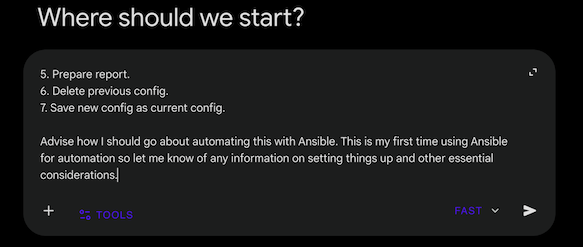
I intentionally kept it simple: Cisco only. Weekly scheduling can come later — first we automate the workflow itself.
The Iteration Process
The initial response was promising. The AI understood the goal and suggested a reasonable structure using modules such as cisco.ios.ios_command, along with an inventory-based approach.
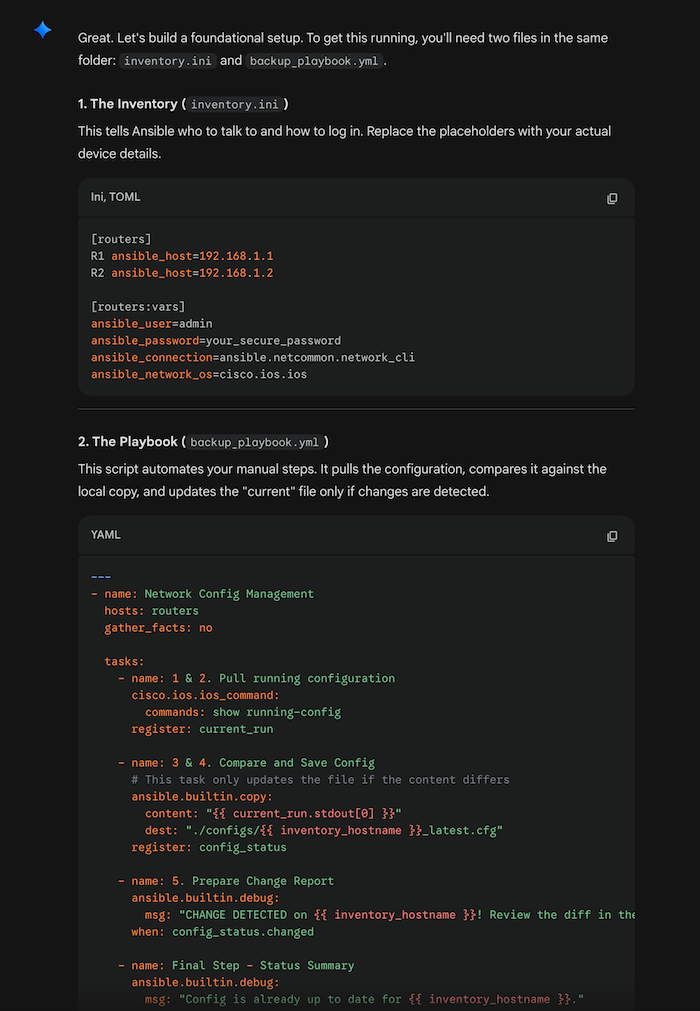
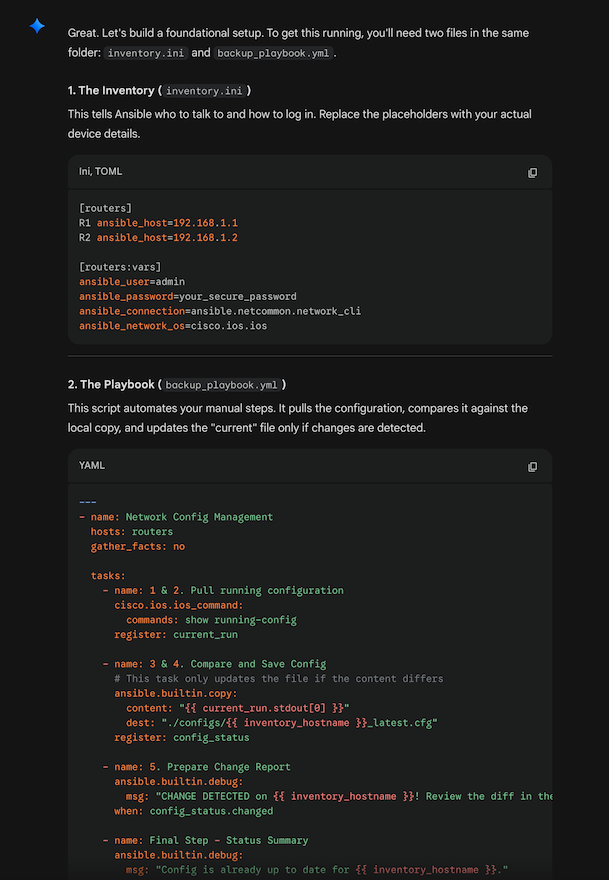
From there, I refined it into something closer to production thinking:
- Logic to handle first-run scenarios when no previous configuration exists.
- Regex filtering to remove noisy lines (timestamps, dynamic counters) before diff comparison.
- Interactive credential prompts instead of Ansible Vault for this demo.
It didn’t get everything perfect the first time — and that’s the point.
Each time something wasn’t clear, I asked follow-up questions.
That’s the key: AI works best as a collaborative loop, not a one-shot answer machine.
It felt less like searching the web and more like pair-programming.
The Result
For demonstration, I used two Layer 2 devices in Cisco Modeling Labs.
The resulting playbook:
- Retrieves configurations
- Stores historical versions in a structured format
- Performs filtered diffs
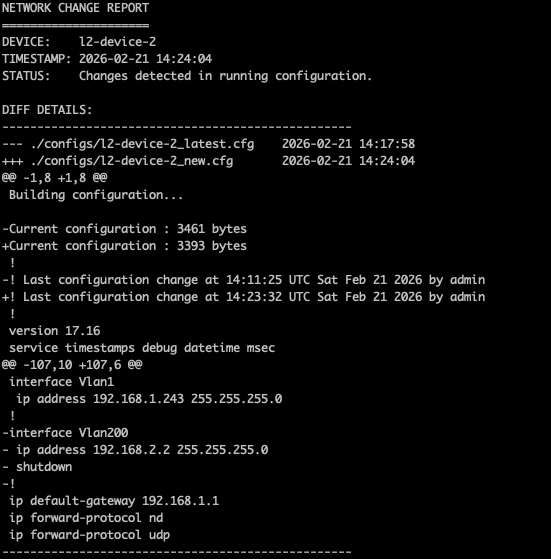
- Generates a readable change report
- Handles first-run logic gracefully
No change:
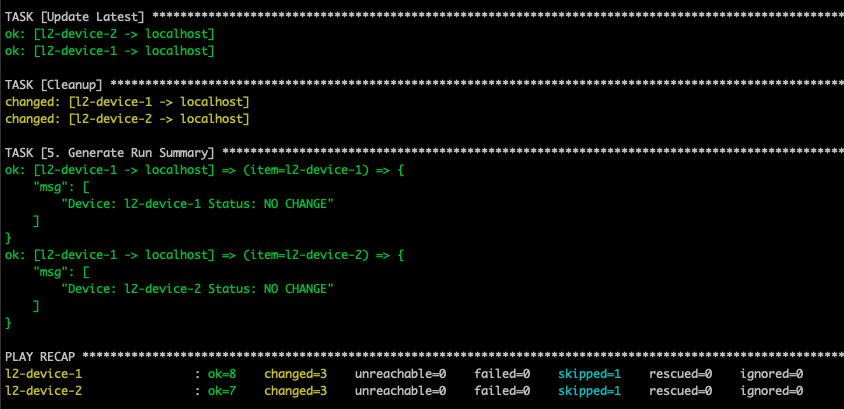
Change detected:
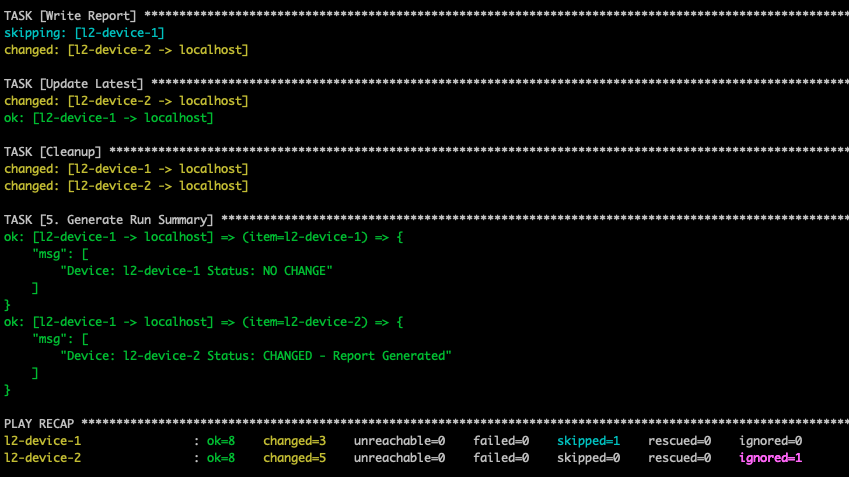
Generated report:
Is this production-ready? No.
Is it a structured, extensible starting point that demonstrates sound automation thinking? Absolutely.
Demostration files can be found on GitHub.
What This Really Means
This is intentionally simple.
But it demonstrates something important:
AI dramatically lowers the barrier to entry for automation.
You no longer need to:
- Spend days reading documentation before starting
- Be blocked because you “don’t know enough yet”
- Wait until you feel fully confident
You can start. Experiment. Refine.
In a real environment, the process would be iterative:
- Test in the lab
- Improve idempotency
- Add error handling and logging
- Review with peers
- Integrate with Git for version control
- Add scheduling via pipeline or a automation platform
- Expand to additional device types and platforms
And yes — you will run into issues.
That’s where AI helps again. Troubleshooting module behavior, debugging YAML formatting, refining regex filters, understanding network modules — it accelerates learning at every step. Even if AI doesn’t get it right every time, you will have gained so much through real world application.
For Network Engineers
If you’ve been hesitant to start automation because it felt overwhelming, this is your entry point.
Pick one repetitive task.
Describe it clearly.
Prompt your AI tool like you would a colleague.
Iterate.
Break things in the lab.
Fix them.
Then move to the next workflow.
Automation compounds. Once you solve one problem, you stop doing it manually forever.
Final Thought
AI does not replace engineering judgment.
It accelerates it.
The engineers who experiment today will be the ones leading tomorrow’s automation platforms.